Premier Features Help »
What are 'Tags' and how to use them?
Tags FAQ
What are Tags?
Tags are a tool to organize, categorize and later find bookmarked stories in the library.
How to use Tags?
When you click the bookmark button for a story anywhere on the site you get this bookmarking form:
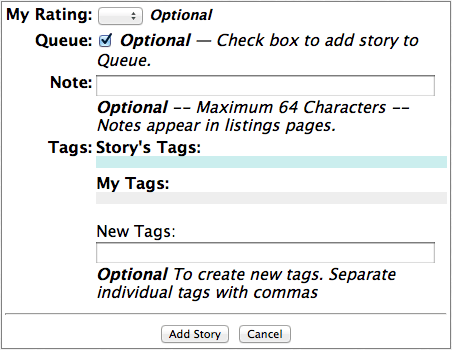
To start using tags, just type some tags into the 'New Tags' field, separating individual tags with commas.
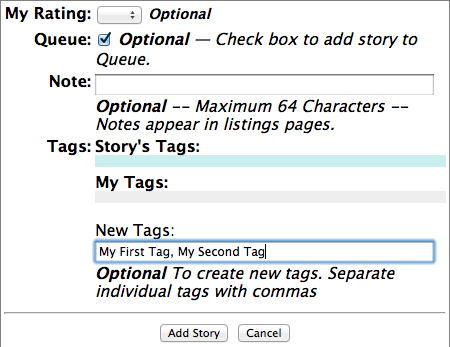
The words 'My First Tags' and 'My Second Tag' could be replaced with anything you fancy, like 'Really Hot Stories' or 'Futuristic Stories' whatever you want to use, you can. You can use one tag, ten tags, or even none. It's up to you.
Once you entered some tags, click the 'Add story' button and the story will be added to your library.
The next time you bookmark a story, the tags that you've used previously will be already available in the form.
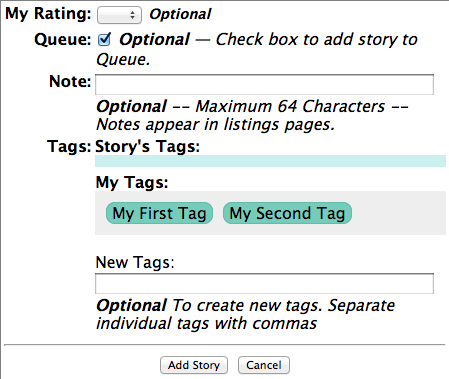
To add one of your previously used tags to the story you're bookmarking, just click the tag and it will jump to the top line.
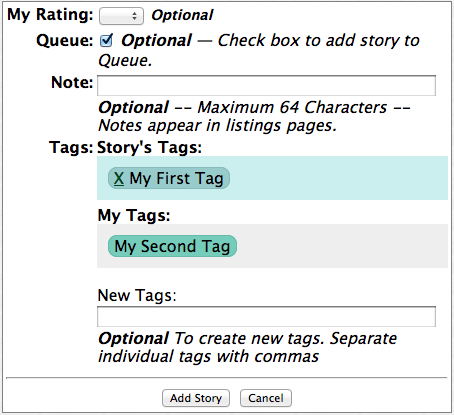
If you need to remove a tag from story click the 'X' in the tag on the top line. That will move the tag to the bottom line.
Once you have used the tags, the library will remember your tags.
To use the tags to find stories, simply select the tag from the 'Show Tag' menu in the library. And the tagged stories will be displayed.
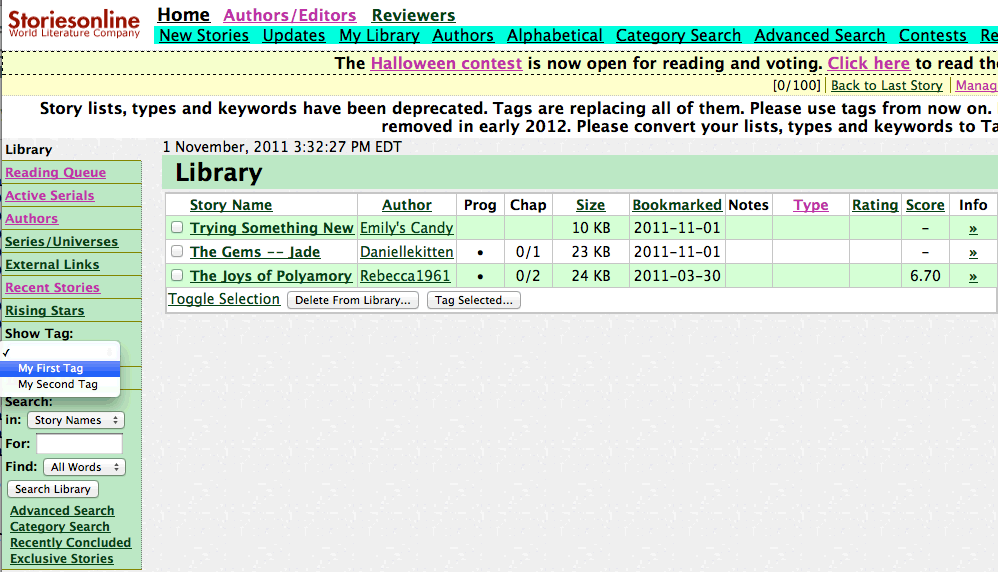
How do I tag existing stories?
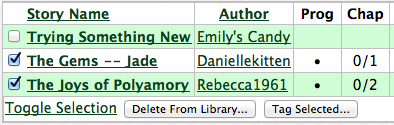
If you have already bookmarked stories into your library but didn't tag them, Select the stories that you want to tag. It could be one or more.

To tag all the stories click the 'Toggle Selection' link at the bottom to select all the listed stories, then click the 'Tag Selected...' button.
That will show you the batch tagging form.
You can add tags to the stories' tags. You can completely erase the stories tags and replace them with the selection. Or, you can remove tags. Just select the appropriate radio button.
To manage the tags themselves (Edit or Delete tags) select 'Manage Tags...' from the 'Show Tag' menu in the library.
To view all untagged stories to help with batch tagging, select 'Manage Tags...' from the 'Show Tag' menu, then click the 'Show Untagged Stories' button.